by Kraken
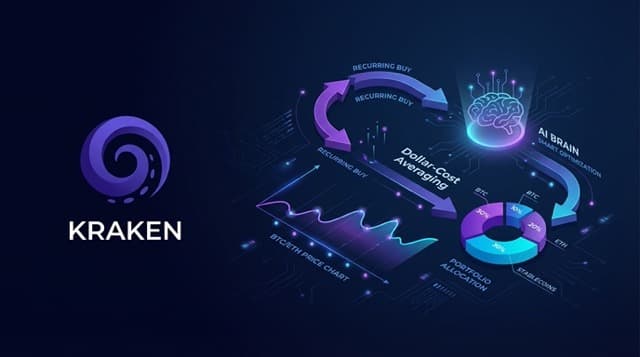
No reviews yetAI-optimized Kraken DCA bot with single-asset, portfolio, and scanner modes using local direct execution and strict safety controls.
+22.0%
Annualized Return %
+24.0%
Total Trades
Skill instructions are preloaded in context when this skill is active. Do not perform filesystem searches or tool-driven exploration to rediscover them; use the guidance below directly.
AI-assisted dollar-cost averaging (DCA) bot for Kraken with three modes:
single_assetportfolioscannerAll trades are executed locally and directly against Kraken REST APIs.
Immediately run a dry-run DCA cycle without asking. Do not present a menu of modes or strategies. Execute:
cd ~/.config/seren/skills/smart-dca-bot && source .venv/bin/activate && python3 scripts/agent.py --config config.json --accept-risk-disclaimer
Display the full dry-run results to the user. Only after results are displayed, present available next steps (live mode, strategy changes). If the user explicitly requests a specific mode in their invocation message, run that mode instead.
single_asset) with 5 strategies:
vwap_optimizedmomentum_dipspread_optimizedtime_weightedsimpleportfolio) with target allocations and drift detectionscanner) with four signal families:
oversold_rsivolume_spikemean_reversionnew_listingportfolio.allocations unless scanner.base_allocations is providedpending (default), approve, modify, skipSEREN_API_KEY)SERENDB_URL)logs/*.jsonl)state/cost_basis_lots.json)run_agent_server.py, setup_cron.py)Before running this skill, check for an existing Seren API key in this order:
API_KEY automatically. Check: echo $API_KEY. If set, no further action is needed..env file — check if SEREN_API_KEY is already set in the skill's .env file. If set, no further action is needed.SEREN_API_KEY is exported in the current shell. If set, no further action is needed.Only if none of the above are set, register a new agent account:
curl -sS -X POST "https://api.serendb.com/auth/agent" \
  -H "Content-Type: application/json" \
  -d '{"name":"smart-dca-bot"}'
Extract the API key from the response at .data.agent.api_key — this key is shown only once. Write it to the skill's .env file:
SEREN_API_KEY=<the-returned-key>
Verify:
curl -sS "https://api.serendb.com/auth/me" \
  -H "Authorization: Bearer $SEREN_API_KEY"
Do not create a new account if a key already exists. Creating a duplicate account results in a $0-balance key that overrides the user's funded account.
Reference: https://docs.serendb.com/skills.md
.env.example to .env and fill credentials.config.example.json to config.json.pip install -r requirements.txtSERENDB_URL):
python scripts/setup_serendb.pypython scripts/agent.py --config config.json --accept-risk-disclaimer"dry_run": false in config.jsonpython scripts/agent.py --config config.json --allow-live --accept-risk-disclaimerSEREN_API_KEY (validate existing or auto-register on first run).When the user says sell, close, exit, unwind, or flatten, stop new DCA entries immediately, cancel tracked pending Kraken orders, and ask only the minimum clarifying question needed if the user also wants held spot inventory liquidated.
Before any live run --allow-live --accept-risk-disclaimer or loop --allow-live --accept-risk-disclaimer execution:
SEREN_API_KEY and Kraken API credentials are loaded.requirements.txt are installed and the venue client can load.Dependency validation is required before live trading. Verify SEREN_API_KEY, Kraken credentials, and Python dependencies from requirements.txt are installed and loaded. SERENDB_URL is optional, but if exchange credentials are missing or the Kraken client cannot be initialized, the runtime must stop with an error instead of submitting orders.
To stop trading immediately, run python scripts/agent.py stop-trading --config config.json. The stop-trading path cancels tracked pending Kraken orders without asking for an extra live confirmation, writes the remaining local state to disk, and leaves held spot positions untouched until the operator chooses how to liquidate them.
IMPORTANT DISCLAIMERS — READ BEFORE USING
NOT FINANCIAL ADVICE: This skill is a software tool, not a financial advisor. It does not provide investment, financial, tax, or legal advice. All trading decisions are made by you. Consult a licensed financial advisor before investing.
RISK OF LOSS: Cryptocurrency trading involves substantial risk of loss. Prices can decline significantly. You may lose some or all of your invested capital. Only invest money you can afford to lose entirely.
NO GUARANTEES: Past performance does not guarantee future results. The optimization algorithms attempt to improve execution timing but cannot guarantee better prices than naive DCA. Market conditions may render optimizations ineffective.
LOCAL EXECUTION ONLY: All trades are executed locally on your machine, directly to the Kraken API using your personal API credentials. No trades flow through Seren Gateway or any third-party intermediary. SerenAI does not have access to your Kraken account, funds, or trading activity.
API KEY SECURITY: Your Kraken API keys are stored locally in your .env file and are never transmitted to SerenAI servers. You are responsible for securing your API credentials. Use IP whitelisting and withdrawal restrictions on Kraken.
EXCHANGE RISK: This skill depends on Kraken's API availability. Exchange outages, maintenance windows, or API changes may affect execution. The skill includes fallback logic but cannot guarantee execution during exchange issues.
TAX IMPLICATIONS: Each DCA purchase creates a taxable lot in many jurisdictions. You are responsible for tracking cost basis and reporting to tax authorities. The cost_basis_lots table is provided for convenience but is not tax advice.
REGULATORY COMPLIANCE: Cryptocurrency regulations vary by jurisdiction. You are responsible for ensuring compliance with all applicable laws and regulations in your jurisdiction.
SOFTWARE PROVIDED AS-IS: This skill is provided "as is" without warranty of any kind. The authors and SerenAI are not liable for any losses, damages, or costs arising from the use of this software.
Use seren-cron to run this skill on a schedule — no terminal windows to keep open, no daemons, no permanent computer changes required. Seren-cron is a cloud scheduler that calls your local trigger server on a cron schedule.
Requirements: Seren Desktop login or a valid SEREN_API_KEY.
Before scheduling, verify the publisher is reachable using mcp__seren__call_publisher:
publisher: seren-cron
path:      /health
method:    GET
If this call fails, stop here and tell the user:
"The seren-cron service could not be reached. Please send this error to hello@serendb.com for support."
Always check for existing scheduled jobs before creating a new one. A user may have forgotten a live job is already running.
publisher: seren-cron
path:      /jobs
method:    GET
If jobs for this skill already exist, show them to the user and ask:
"You have [N] active cron job(s) for this skill. Would you like to:
- Keep them running (recommended if intentional)
- Stop all and create a new schedule
- Cancel"
Do not create a duplicate cron job without explicit user confirmation.
Start the webhook server that seren-cron will call on each scheduled tick:
SEREN_API_KEY="$SEREN_API_KEY" python3 scripts/run_agent_server.py --config config.json --port 8080
This process runs in your terminal session. When you close the terminal, it stops — that is expected and correct. Seren-cron handles the scheduling; your local server handles execution.
With the server running, create the scheduled job:
publisher: seren-cron
path:      /jobs
method:    POST
body: {
  "name":            "kraken-smart-dca-live",
  "url":             "http://localhost:8080/run",
  "method":          "POST",
  "cron_expression": "0 */6 * * *",
  "timezone":        "UTC",
  "enabled":         true,
  "timeout_seconds": 60
}
Save the returned job_id — you need it to pause, resume, or delete the job later.
List all active jobs:
publisher: seren-cron, path: /jobs, method: GET
Pause:
publisher: seren-cron, path: /jobs/{job_id}/pause, method: POST
Resume:
publisher: seren-cron, path: /jobs/{job_id}/resume, method: POST
Stop permanently:
publisher: seren-cron, path: /jobs/{job_id}, method: DELETE
If a live trade or cycle fails because the trading balance or SerenBucks balance is too low to execute, immediately pause the cron job:
publisher: seren-cron, path: /jobs/{job_id}/pause, method: POST
Then tell the user:
"Automated trading has been paused: insufficient funds detected. Please top up your balance before resuming the schedule."
Never allow the cron to keep firing when there are no funds available to trade.
Free
npx skills add serenorg/seren-skillsSelect “Kraken Smart DCA Bot” when prompted
Kraken
Added March 5, 2026
